A complete software package
You get Word, Excel, PowerPoint, Outlook, OneNote, Access, and Publisher to solve any problem.

Instead of buying a boxed version, you get Microsoft Office with constant updates, support, cloud support, and access from any device. With a subscription through FreundeAbo, you get Microsoft Office 365 under an official license, but at a significantly lower price.
Instead of an expensive individual license, you can purchase Office 365 for a symbolic fraction of the price within a family group.
It's the same subscription, but you pay only for yourself, not for all six users.
You get Word, Excel, PowerPoint, Outlook, OneNote, Access, and Publisher to solve any problem.
Each user can install Microsoft Office on up to 5 personal devices: PC, laptop, tablet, and smartphone.
You get Word, Excel, PowerPoint, Outlook, OneNote, Access, and Publisher. Plus 1 terabyte of OneDrive cloud storage for up to 250,000 photos or tens of thousands of documents.
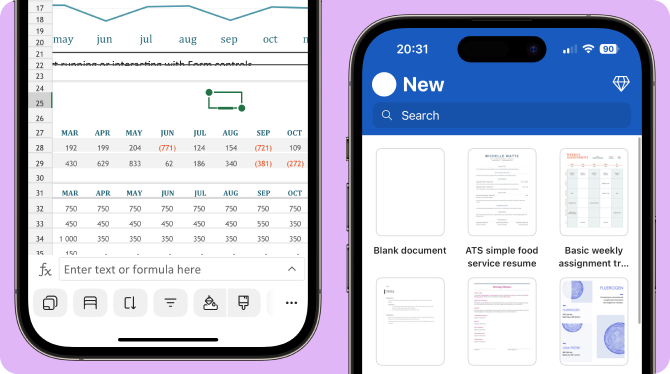
Microsoft 365 provides access to always-up-to-date versions of Word, Excel, PowerPoint, and other apps. You get cloud storage, real-time collaboration, and AI-powered features—all of which help you get things done faster and less distracted.
You sign up using a special link. Your personal account joins the FreundeAbo team.
Each user can install Microsoft Office on up to five personal devices.
For example, a personal computer, laptop, tablet, work laptop, and a smartphone. Everything syncs automatically.
No, other family group members won't see your personal files. Each user has their own personal storage space.
A one-time purchase is a limited version without updates: no access to OneDrive, no new features, and a limited number of devices.
An Office 365 subscription is a constantly updated product that can be accessed from multiple devices, works offline and online, and includes cloud services and additional features.
A one-time purchase seems like a good deal, but quickly becomes outdated.
Yes, absolutely. FreundeAbo is a reliable intermediary that facilitates your participation in this system, provided by Microsoft itself. After purchasing a subscription, you will receive a link to join a family group. By clicking this link, our platform can authorize your Microsoft account.
Yes. You can co-author documents in real time, share files via the cloud, and communicate in Microsoft Teams—all in one place.
You regularly receive new features, interface improvements, security updates, and access to the latest technologies—including integrations with artificial intelligence and cloud-based productivity tools.